In the previous tutorial, we took a very brief introduction to writing in ABC notation with EasyABC, so if you haven’t read it, go back to make sure you’re up-to-date! This time, we’ll be adding lyrics, chords and some more headers to our “Mary had a Little Lamb” file.
Time Signatures

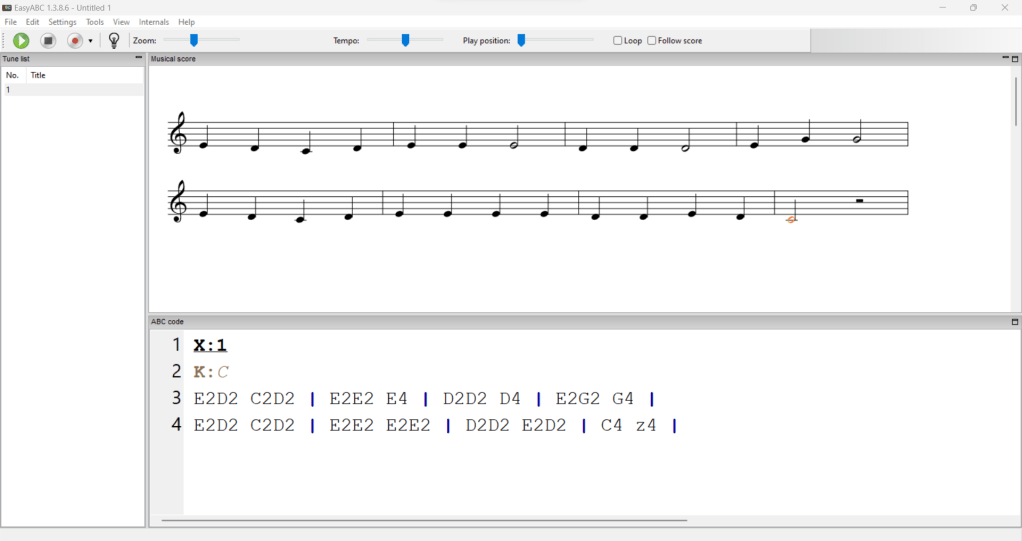
As mentioned previously, a time signature isn’t technically required for writing in ABC notation, since the user has full control over the placement of barlines. While this has its uses, time signatures are still very useful when actually reading music, so should be included in almost all cases.
The time signature field is “M:”, followed by the time signature written as a fraction, e.g “M: 3/4” or “M: 6/8”. ‘Mary had a Little Lamb’ is in 4/4, so that’s what we’ll write.
Title
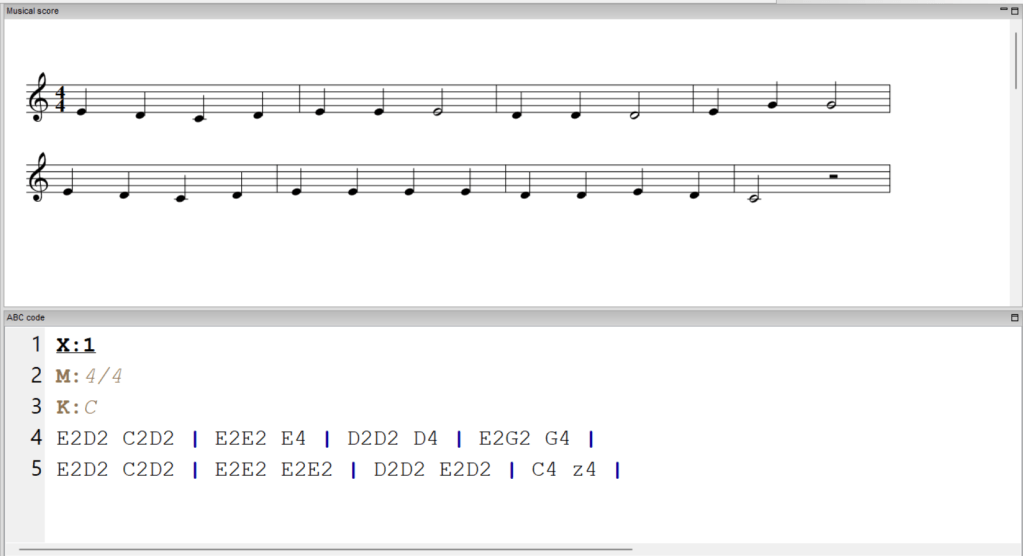
How will anybody know what our piece of music is called? Well, with the “T:” field of course! In the case “T: Mary had a Little Lamb”. Notice that the title appears in the ‘tune list’ pane on the left-hand side, allowing quick navigation around our ABC file.
Unit note length
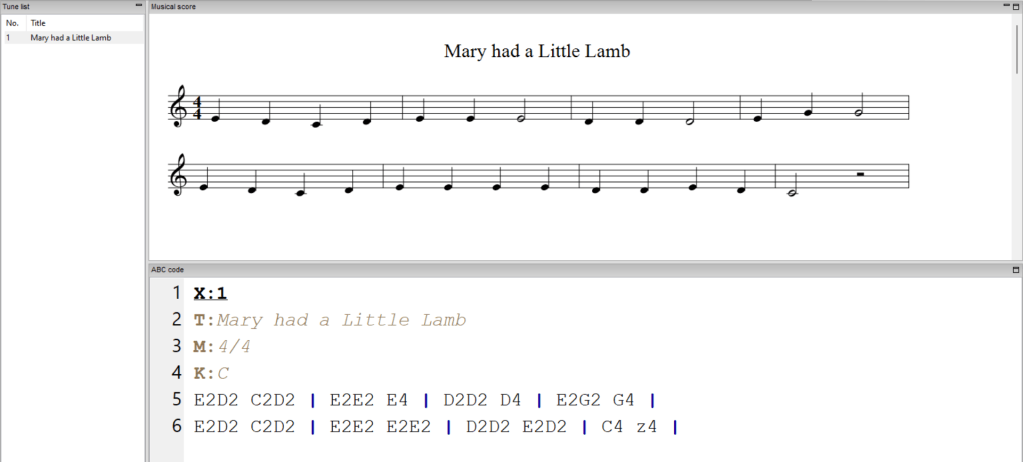
We can see that the default length of a note is a quaver (1/8 note). While this a pretty good default for many applications, our tune here doesn’t have any quavers, so we waste a lot of space writing a number after every letter name. Instead, with the “L:” field, we can change the default length to a crotchet, and save ourselves some space. “L:” takes the value of the unit note as a fraction, so it’s currently defaulting to “L: 1/8”, and we want to change it to “L: 1/4”.
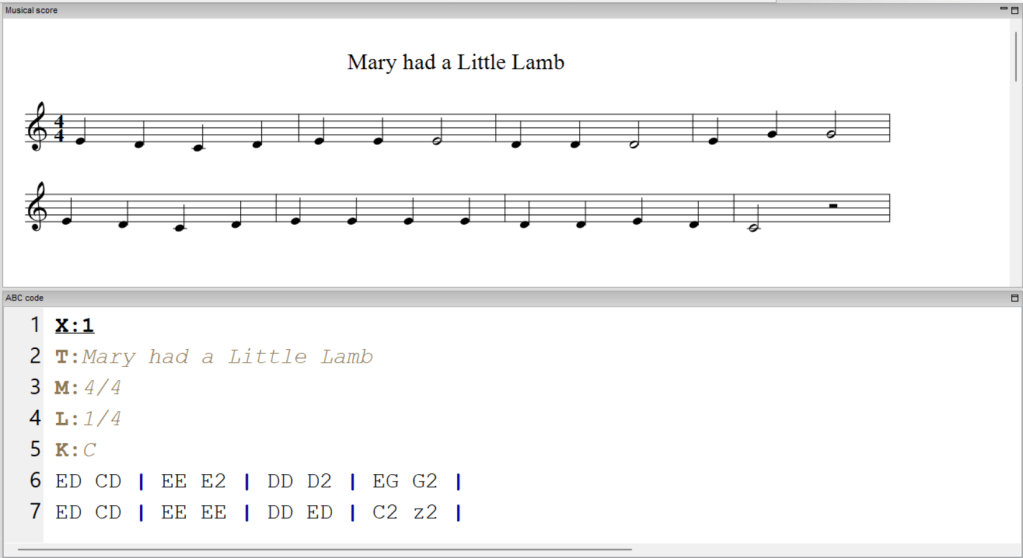
Much neater! This also has the bonus of making it easier to play/read directly from the ABC notation, which can be very useful.
Lyrics
Now our file’s really starting to shape up! Next we might want to add some lyrics to our little song tune. There are two ways to do this: the “w:” and “W:” fields. The “w:” field goes between the lines of ABC notation, and provides lyrics as underlay to the staff notation, while the “W:” field can go anywhere, and adds lyrics as text below the staff notation. I’ll demonstrate both:
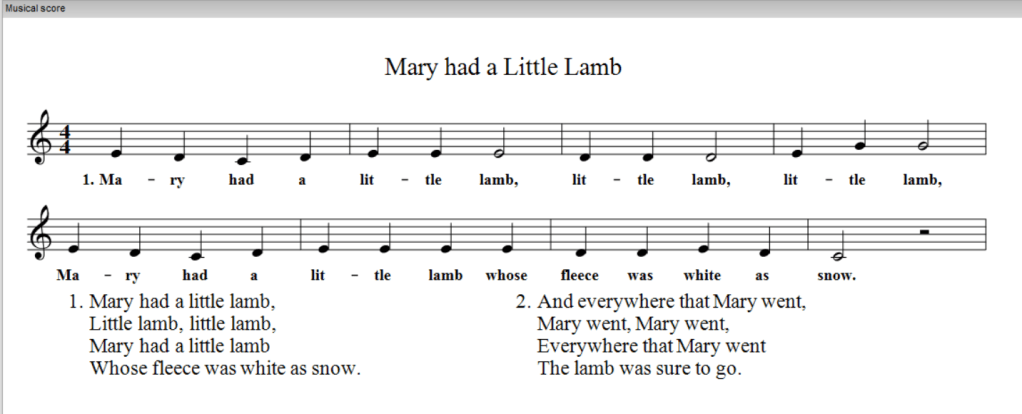
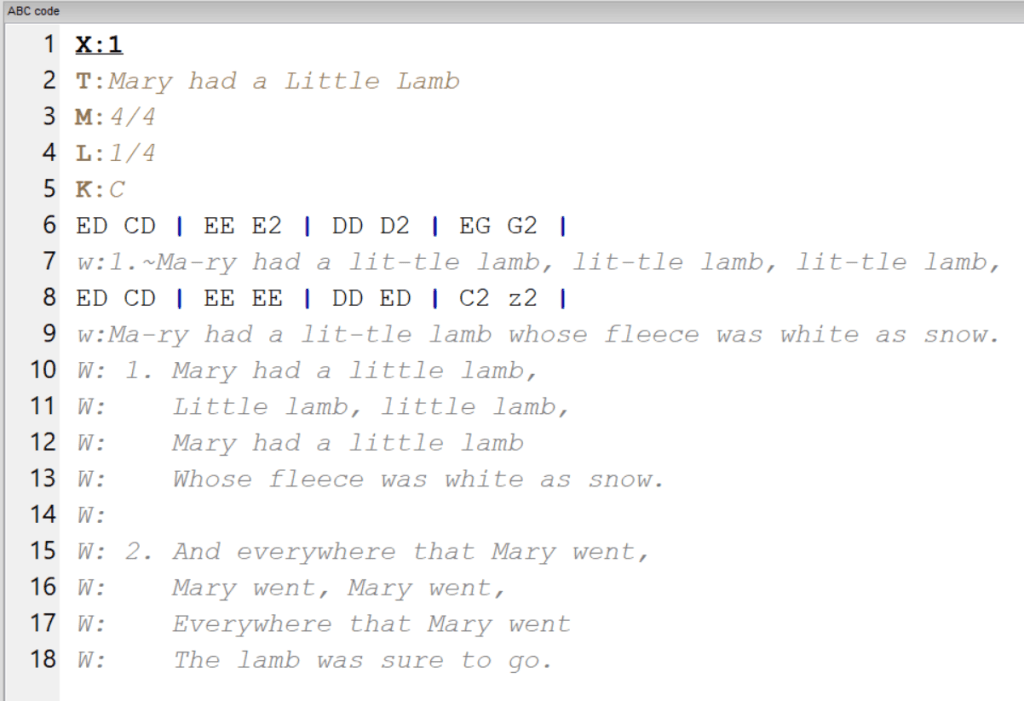
Notice that EasyABC automatically rearranges the text-only verses in the staff notation, matching how verses are organised for space efficiency in hymn books. Very useful!
I’ve also sneakily used the spacer character “~” (tilde) to add space between the verse number and first word, without assigning them to two different notes like a space would.
Chords
A melody is great, and while most folk melodies like “Mary had a Little Lamb” don’t tend to come with chords, they are certainly very useful, so we’ll add some! There’s no special field for chords, you simply put the chord symbols in quotations where they need to go in the ABC notation. Here’s Mary with some basic chords added:
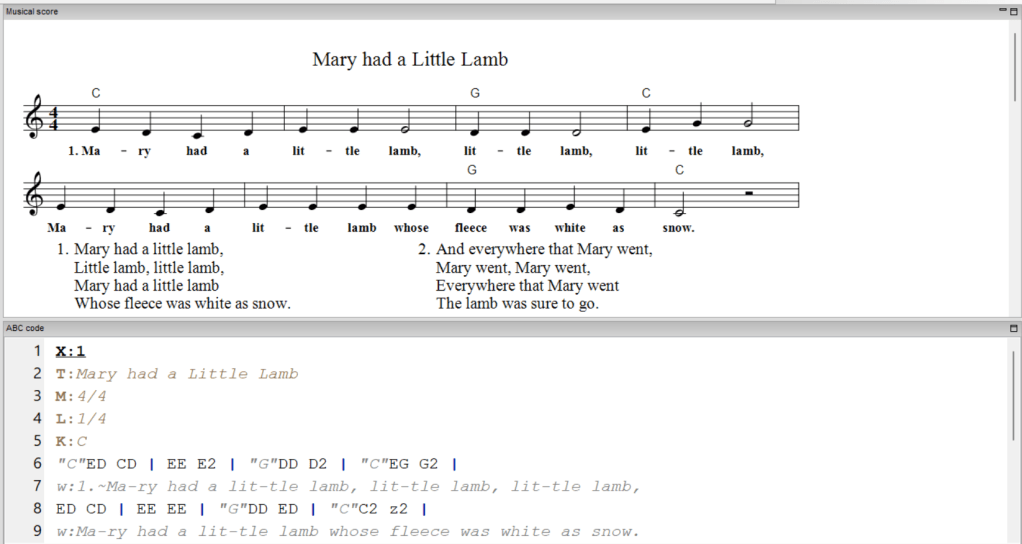
There is unfortunately no good way to place chords over lyrics in ABC notation, which annoys me no end. There are several workarounds but all are complex, and I don’t find any of them give satisfactory results, so I will leave these for you to research should you really need them.
Composer
The Lyrics to ‘Mary had a Little Lamb’ are attributed to Sarah Joseph Hale, and the tune to Edwin Pearce Christy. Although these authorships are somewhat unsure, we still might like to notate this, which we can do with the “C:” field. Here’s this final addition to our ‘Mary had a Little Lamb’ file.
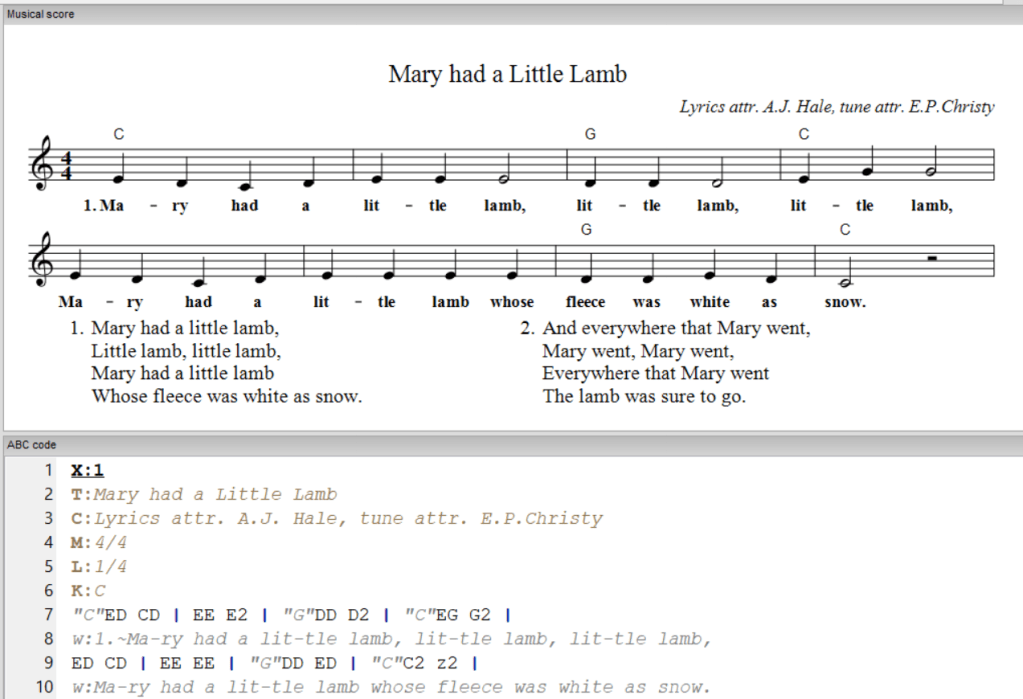
See you next time, where we’ll leave ‘Mary’ behind, and go through some more complex rhythms and melodies!
 lankfish
Leave a comment