Having introduced ABC Notation in my tutorial series, it should now be clear that ABC is easy for computers to interpret, since it’s plain text and has a publicly available standard. As such, it has produced a thriving opensource community! In fact, the software used in my tutorials, EasyABC, is itself a prime example. Here I throw my own hat into the ring with a very short utility script for ABC Notation.
Session books
It’s common to have a tunebook for a particular session/playaround: most of my local ones do. This way if anyone wants to join the group, they can see what tunes are commonly played, and have the opportunity to learn them ahead of time. But a common problem is actually remembering tunes in the session. It often happens that you can remember the tune, but not its name, or vice versa!
To try and remedy this, a friend asked me to convert a tunebook into a small, pocket-sized version, containing only the first line of each tune. So I wrote a simple script to condense a full book down into this format!
Written in python, and available on my GitHub, the program:
- reads a tunebook,
- discards all but the header and first line of each tune,
- re-formats the book to A6,
- writes it to a new .abc file.
I even got the script to include a gutter along alternating edges of each page, to make joining the pages together easier.
Section Titles
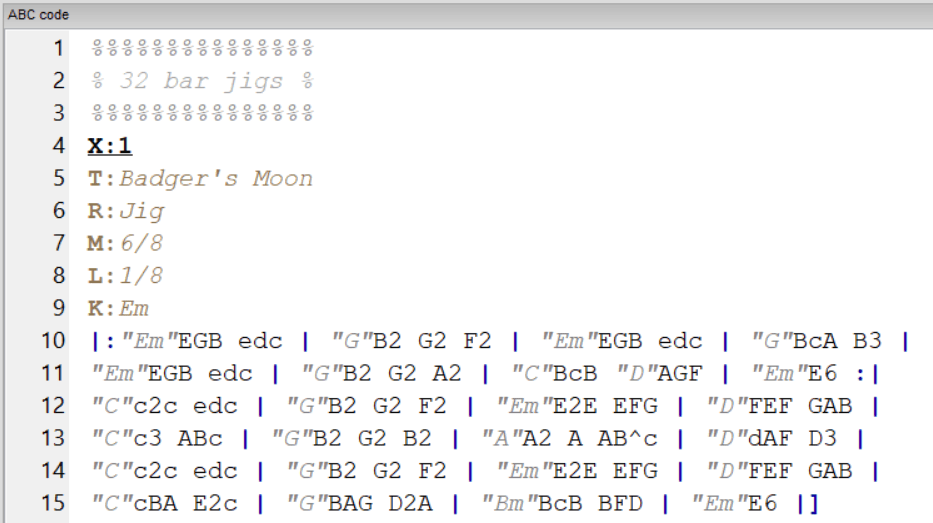
The tunebook I was dealing with was organised by tune type, with each different section denoted as below, where the tune type is surrounded by ‘%’.
%%%%%%%%%%%%%%%
% 32 bar jigs %
%%%%%%%%%%%%%%%
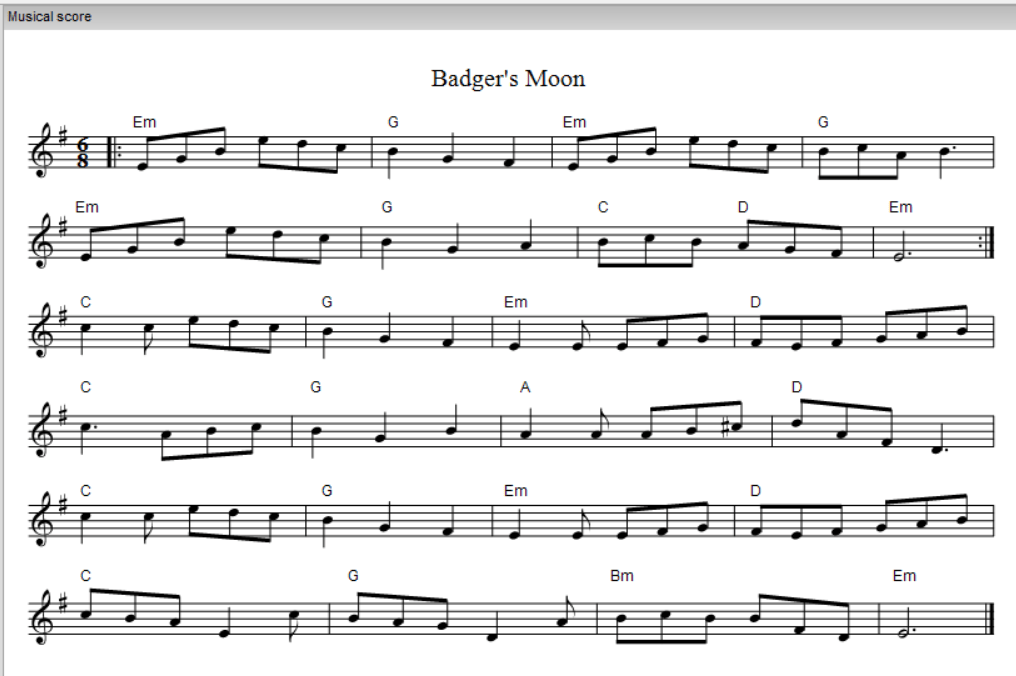
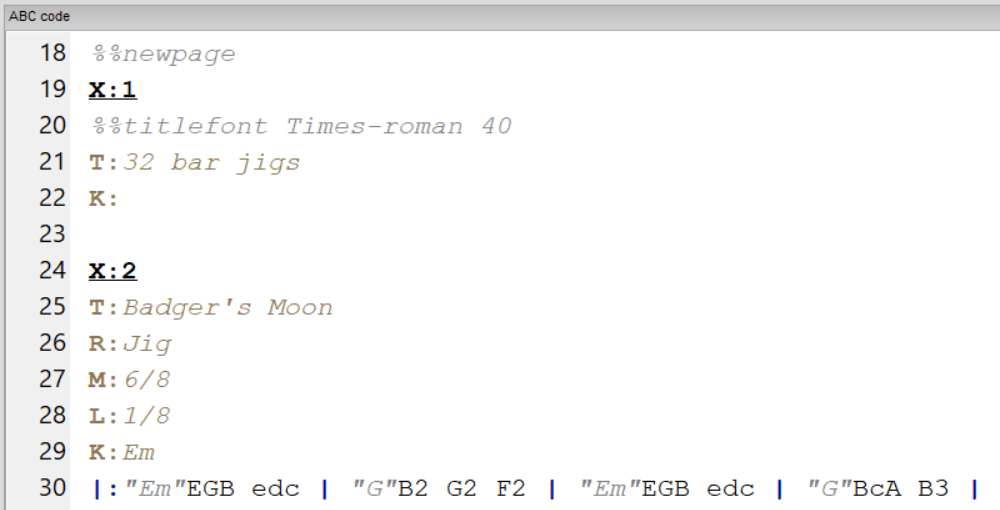
Normally these titles wouldn’t show up in the ABC file’s staff notation, but I wanted them to appear in the condensed book, for ease of navigation. To do this, I used regular expressions (a powerful string pattern matching tool) to extract the title text. I then re-wrote that title as the title of a tune with no notes, since EasyABC allows tunes with “X:”, “T:” and “K:”, even if they have not actual notes, and no given key signature. I then makes these section titles start on a new page with the incredibly useful “%%newpage” command. Here’s the first tune (and title) in the book, before and after being condensed.

Page wrapping
When I went to try and print my tunebook, 8 A6 pages on double-sided A4 printing, I struggled to find a program that would wrap all the pages properly. I could pay for Adobe Acrobat, but why would I do that?! So instead I wrote another script to reorder the pages, ensuring A6 page 2 is on the back of A6 page 1, and so on.
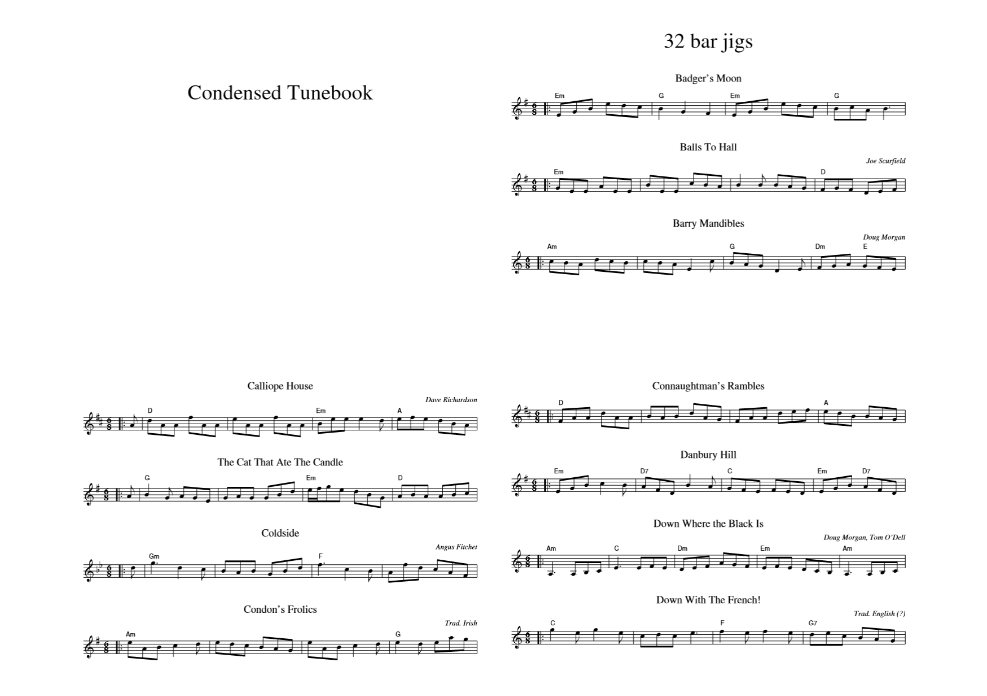
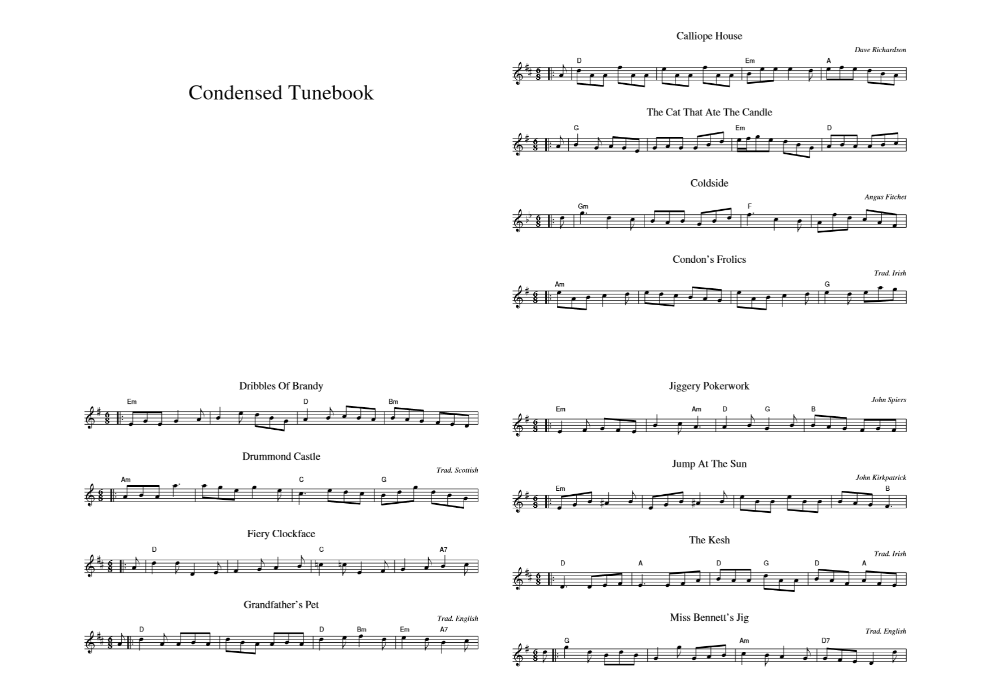
After all that, here’s a print preview of the first page! I’ll update with a picture of the printed version when I get access to a printer.
Thanks for reading!
 lankfish
Leave a comment